

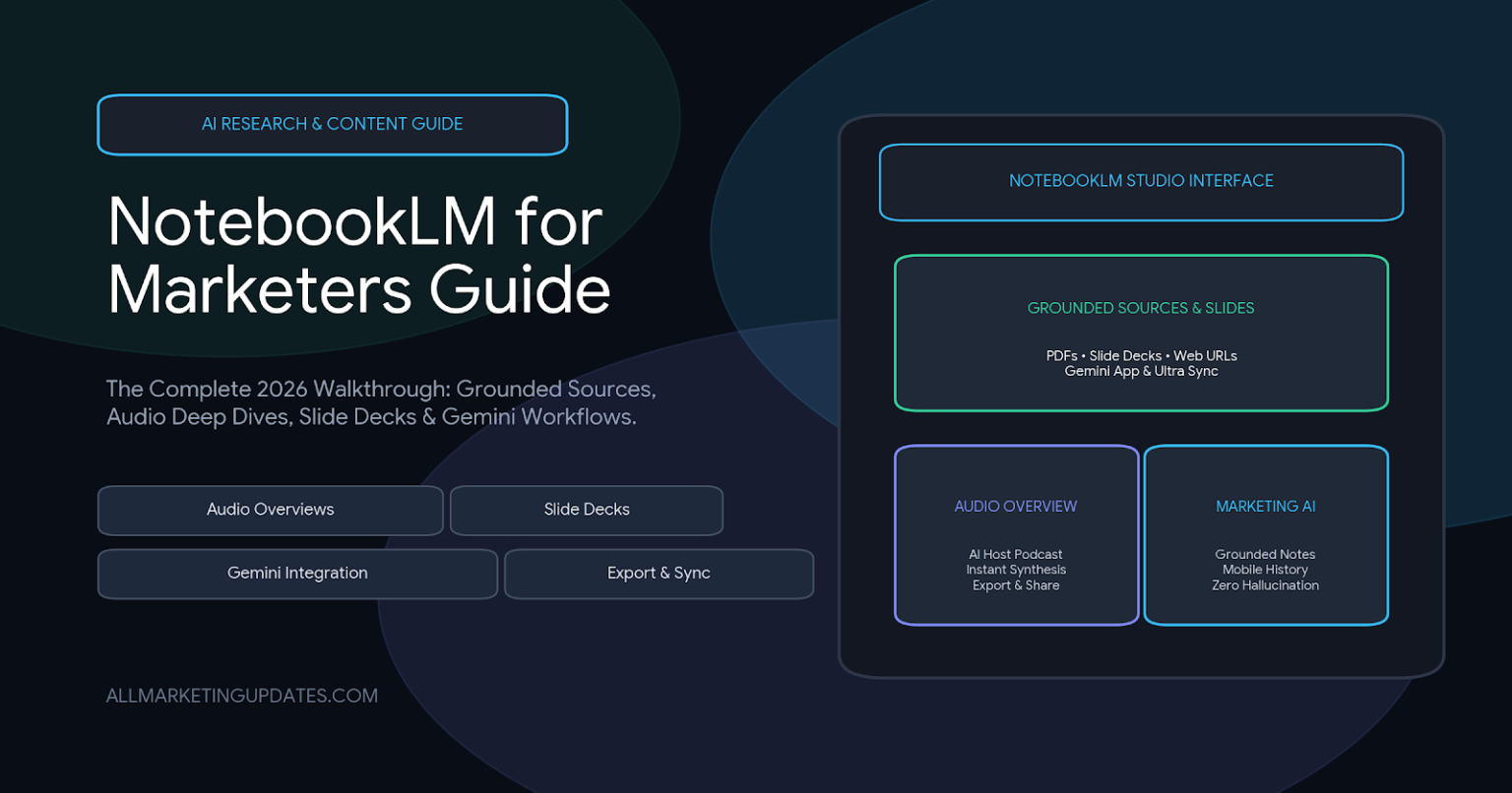
NotebookLM for marketers is Google’s source-grounded AI research and content studio — built so a single notebook can turn uploaded sources (research briefs, customer interview transcripts, campaign decks, PDFs, URLs) into chat answers, audio overviews, infographics, and slide decks. For marketing teams in 2026, it’s the lever that turns five days of “summarize the brief” into one composable step. This guide consolidates six verified NotebookLM launches and product moves from the past year into the exact stack a marketer needs to learn, plan, produce and ship from a single notebook.
What NotebookLM Is in 2026 (for Marketers)
NotebookLM is, structurally, a source-grounded AI knowledge engine. You upload up to dozens of sources per notebook, and NotebookLM answers every question only from those sources — with citations back to the exact line. That single property is what makes it different from generic chatbots: it’s not generating from a global model; it’s reasoning around your material.
For a marketer, that maps cleanly to five recurring pains:
| Marketing pain | What NotebookLM replaces |
|---|---|
| Research-a-100-page-PDF | The summary (and the citation trail) |
| “Pull the numbers from last quarter’s report” | A query that returns the answer + source |
| “Turn this interview into a content brief” | Studio output → Brief → Google Doc |
| “Make a kickoff deck for the new campaign” | Studio → Slide Deck |
| “Listen to this research while I commute” | Studio → Audio Overview |
The six features below — every figure, name and date quoted verbatim from official coverage of NotebookLM launches — describe how each of those pain points got cheaper between late 2025 and 2026.
1. NotebookLM in Google AI Ultra — The December 2025 Premium Upgrade
In Mountain View, CA — December 2025, Google announced that NotebookLM is officially part of the Google AI Ultra plan, making it the biggest NotebookLM expansion since its launch and positioning it as one of the “most powerful AI research and knowledge tools available to consumers, creators, and enterprise teams.” Ultra subscribers gain:
- Highest Access to the Latest Models of Gemini — NotebookLM inside Ultra runs on top-tier Gemini models with faster reasoning, deeper synthesis, and more accurate grounded responses across large, complex notebooks
- Increased Feature Limits Across Core Tools — much higher limits for Audio Overviews, Video Overviews, Slide Deck creation, and infographics/structured summaries, enabling long-form research, academic work, and professional content creation at scale
- Largest Notebook Size Ever Offered — Ultra unlocks the maximum number of sources permitted in a single notebook, supporting multi-document research libraries, deep project archives, and extensive datasets without hitting capacity
- Priority Access to New & Returning Features — note-by-note priority for reinstating the Long option for Slide Decks, removing watermarks from Slide Decks and Infographics, and early access to experimental notebook tools launching in 2026
Why this matters for marketers (Tier-1 positioning): if you ever wanted to feed an entire multi-month campaign archive into a single notebook — every brief, interview, sales call transcript, deck and email thread from the past six months — Ultra is what unlocks it. With higher limits, larger notebooks, and watermarks removed, NotebookLM moves from “free research assistant” to “production-grade studio.”
2. Export Notes, Reports, and Tables to Google Docs and Sheets
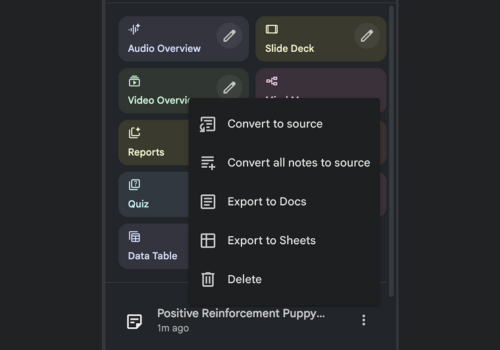
The NotebookLM export functionality launch lets users export directly from the Studio Panel before the holiday period:
- Export Study Guides, Briefing Docs, and saved Notes to Google Docs
- Export content with tables to Google Sheets
- (Both routing paths are available through the three-dot menu next to each saved item in the Studio Panel.)
The explicit value framing in the source: “This added functionality eliminates the barrier between analysis and delivery.” Researchers transfer structured findings to common Google Workspace applications without the copy-and-paste step — making NotebookLM a bridge between research and output.
Why this matters for marketers (the shortest path from research to doc): a campaign brief, a content audit, a competitive teardown, or a 40-page industry report can now move from notebook → downloaded Google Doc → ready to share, in roughly one click. That’s the death of the “rebuild the summary in Google Docs” afternoon.
3. Chat History on Mobile and Web

The NotebookLM chat history launch delivers the cross-device continuity marketers have been requesting:



- Begin a chat on mobile and resume on web; sessions don’t lose ground when devices change
- Pick up where conversations left off after a swap, walk, or meeting change
- Switch seamlessly between devices while working on notes, research, or analysis
The source preserves two important confidentiality points verbatim:
- Chat History can be deleted anytime — fresh start whenever needed
- In shared notebooks, chat histories remain a private experience — collaborators can’t see each other’s private queries or findings
Why this matters for marketers (the “one notebook per campaign” reality): notebooks are now genuinely mobile+web continuous. You can interrogate interview transcripts on the train in Slack-notebook-style Q&A, hand off your laptop at a client meeting, and continue exactly where you left off on the projector, with private queries visible only to you. This is the unlocks the “one notebook per campaign” reality for distributed teams.
4. Import NotebookLM Notebooks Directly into Gemini
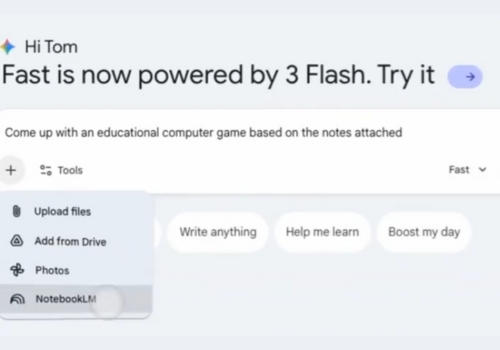
The notebook-import into Gemini integration closes the loop between the research studio and Google’s broader creative surface. Per the source verbatim:
- Users can now upload a NotebookLM notebook into the Gemini App
- Multiple notebooks can be combined into a single working Gemini workspace
- The uploaded material can then be used to “develop inspiration for creating pictures, developing apps using artificial intelligence, or furthering ideas with new research online”
The source’s framing: integration points toward “Google’s vision of an integrated AI workspace where sources and creative works are connected seamlessly rather than existing in separate silos.”
Why this matters for marketers (research becomes a creative input): before this, NotebookLM notebooks were a research side-quest; producing the campaign with that knowledge meant starting over in Gemini or another LLM. With direct import, the marketing research remains the source of truth even as it migrates into creative production — keeping citation integrity from research through to image prompts, copy drafts, and code snippets.
5. Slide Decks in the Studio — Second Most Popular Output
The NotebookLM Slide Decks rise-to-the-top coverage reports that Slide Decks are now the second most popular output of NotebookLM’s Studio, with three distinct high-usage patterns emerging per the source:
- Presentations with Brand Precision — users import existing presentations into NotebookLM alongside brand assets (logos, font and color guides) to act as references; one prompt adds flair, applies the brand’s colors and fonts, and pulls in source images, producing on-brand decks without manual designing
- Converting Long-Form Content into Visual Storybooks — Slide Decks are being used to turn documents, articles, and even video into graphic storytelling slides — adapting detailed presentations to specific audiences, classrooms, and internal company meetings
- A New Tool for Creative Brainstorming — featured notebooks (the source uses the Jane Austen set as its example) are being used to create novel pitch outputs, including fan-fiction Christmas stories with cover designs
Why this matters for marketers (decking without a designer): for primary-research-heavy decks — niche campaign plans, customer story pitches, technical training, quarterly business reviews — the Slide Decks output is now the shortest slideware building loop on the market. Brand-import + source-import + one prompt = on-brand first draft.
6. Converting Resumes into AI-Powered Interactive Profiles
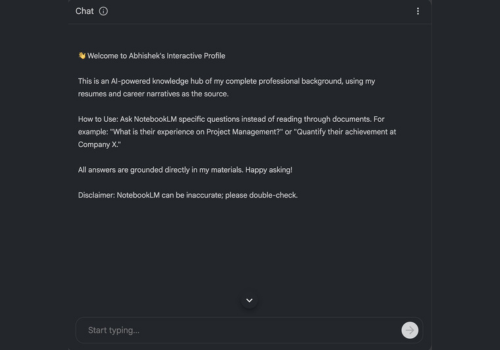
In Silicon Valley — 2025, the NotebookLM resume-to-interactive-profile trend report shows users uploading resumes, career narratives, and achievements to NotebookLM and waiting while the system automatically converts them into a live conversational hub. The opening note the system shows recruiters reads (verbatim from the source):
“This is an AI-powered knowledge hub of my complete professional background. Ask NotebookLM specific questions instead of reading through documents.”
Recruiters then ask natural-language questions like “What is their experience with Project Management?” “Quantify their achievement at Company X.” “What were the results they delivered in their last role?” — and get grounded responses sourced only from uploaded materials.
The source names the broader shift: resumes are evolving from static PDFs to dynamic AI knowledge hubs. The official product categories emerging in real-world usage include Interactive CVs, AI-powered portfolios, smart candidate summaries, and automated Q&A for hiring teams.
A demo caption from an active user, reproduced verbatim:
“All answers are directly based on my material. NotebookLM may be incorrect; please verify.”
Why this matters for marketers (the competitive talent pitch): the same source-grounded pattern works directly on brand, sales and ops operations. Upload the brand guide, the product FAQ, the customer persona document — and a brand agent that only answers from your library is born. The resume trend is the proof point that source-grounded resumés beat both PDFs and hallucinated chatbots.
The Pattern Behind the 6 Notebooks Features
Six updates, but one underlying shift: NotebookLM is becoming a unified source-grounded studio that lives beyond the chat box. Every one of these 6 features removes a friction point:
| Friction point marketers had before | The NotebookLM update that removes it |
|---|---|
| “I need a bigger notebook” | Google AI Ultra tier — up to the maximum source count and priority access to new tools |
| “I want my source pattern to show across many products” | Import notebooks into Gemini — research becomes a creative input stream |
| “I built a NotebookLM insight but lost the answer context” | Chat history on mobile and web — seed ≠ requery |
| “Slide Decks watermark my work” | Watermark removal in Ultra |
| “I need to share my actual research with non-NotebookLM users” | Export to Google Docs / Sheets — the rest of the team gets Google Workspace |
| “I need an on-brand deck that follows the rest of the brand book” | Slide Decks + brand-import into Studio — single-prompt brand-aligned deck |
The thesis is clear: NotebookLM in 2026 is positioned to be the production studio behind any team that operates on top of its own knowledge. Marketers who treat the notebook as the unit — campaign, persona, product, customer story — get compounding returns. Marketers who treat it as a one-off summarise-PDF tool leave most of its value on the table.
NotebookLM for Marketers FAQ
What is NotebookLM?
NotebookLM is a source-grounded AI research and content studio by Google. You create a notebook, upload source material (PDFs, Google Docs, websites, transcripts, etc.), and NotebookLM reasons only from those sources — returning cited answers, audio overviews, infographics, learning guides, and slide decks. It is distinct from generic chatbots because it does not invent replies from a global model.
Is NotebookLM free?
NotebookLM offers a free tier alongside the paid Google AI Ultra plan. The Ultra plan unlocks larger notebooks, higher feature limits, priority access to newer features and watermarks removed from output. Verify current pricing on Google’s official site; pricing can change.
How did NotebookLM become part of Google AI Ultra?
NotebookLM was officially added to the Google AI Ultra plan in December 2025, described in the source coverage as “the biggest NotebookLM expansion since its launch.” Ultra subscribers gain higher limits, larger notebooks, top Gemini models, and priority access to upcoming features.
What can NotebookLM do that Google Docs / Gemini chat cannot?
NotebookLM’s core differentiator is source grounding with inline citations. Every answer is justified by a specific source uploaded into the notebook, which dramatically reduces hallucination for marketing teams that need accurate quotes, citations and numbers across campaigns and reports.
Can I export NotebookLM notes and reports?
Yes. Study Guides, Briefing Docs, and saved Notes can be exported to Google Docs, and content with tables can be exported to Google Sheets. Export is available from each saved item’s three-dot menu within the Studio Panel.
Does chat history work across devices?
Yes. Chat history is now available on mobile and web for all users — sessions started on a phone can continue on desktop and vice versa. Chat history can be deleted at any time, and is private per user even in shared notebooks.
Can I import a NotebookLM notebook into Gemini?
Yes. NotebookLM notebooks can now be uploaded into the Gemini App directly — combining multiple notebooks into a unified Gemini workspace for creative work, ideation, and additional research.
What is NotebookLM’s “Slide Decks” feature?
Slide Decks is one of the Studio outputs that auto-generates slide presentations from sources in a notebook. It’s now the second most popular output of the NotebookLM Studio. Advanced users are importing brand-logo, font and color guides to build on-brand decks, and converting long-form content like documents, articles and video into visual-storyboard decks.
Can job seekers or recruiters use NotebookLM?
Yes — there is a growing trend of users converting uploaded resumes, career narratives, and achievements into AI-powered Interactive Profiles, where recruiters query the source-grounded notebook directly instead of reading static PDFs.