






AI can draft emails, score leads, approve expenses, classify support tickets, and even generate full-length articles. Most of the time, it works beautifully.
- What Is Human-in-the-Loop (HITL) Automation?
- Why Human Oversight Still Matters in 2026
- Where to Add Human Checkpoints in Workflows
- Real-World Human-in-the-Loop Examples
- Best Practices for Designing HITL Workflows
- Common Mistakes in HITL Design
- Frequently Asked Questions
- The Bigger Picture: AI as Infrastructure
- Final Thoughts
But all it takes is one hallucinated fact, one misclassified transaction, or one poorly timed customer reply to create real damage — compliance risk, brand erosion, or financial loss.
The problem isn’t that AI can’t handle these tasks.
It’s that AI shouldn’t handle them alone.
That’s where human-in-the-loop (HITL) automation becomes essential.
What Is Human-in-the-Loop (HITL) Automation?
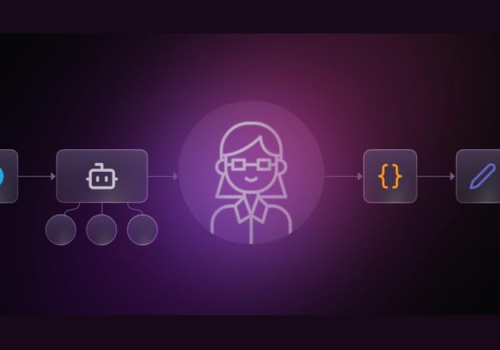
Human-in-the-loop (HITL) is an automation design pattern where AI performs the heavy lifting — analysis, drafting, classification, prediction — but humans step in at critical checkpoints to review, approve, adjust, or override decisions.
Think of it as a layered system:
- Automation ensures control
- AI handles complexity
- Humans own risk and final responsibility
This isn’t about slowing automation down. It’s about placing human judgment exactly where it matters.

HITL is particularly valuable when workflows:
- Produce irreversible outcomes
- Operate in regulated industries (healthcare, finance, legal)
- Affect customer trust
- Involve ambiguity or edge cases
- Trigger large financial actions
The goal is not constant oversight — it’s strategic oversight.
Why Human Oversight Still Matters in 2026
Despite rapid advances in AI, today’s models remain:
- Non-deterministic
- Occasionally hallucination-prone
- Confidently wrong under ambiguity
- Sensitive to prompt design
AI excels at pattern recognition and speed. Humans excel at context, nuance, ethics, and accountability.
At scale, skipping HITL can lead to:
- Publishing inaccurate content
- Sending flawed customer communications
- Processing incorrect payments
- Overwriting sensitive data
- Misclassifying legal or medical documents
And once automation runs at scale, small errors multiply fast.
HITL checkpoints act as guardrails.
Where to Add Human Checkpoints in Workflows
The key is not to add approval everywhere. That creates friction and bottlenecks.
Instead, focus on irreversible or high-risk moments, such as:
- Publishing content
- Sending external emails
- Approving financial transactions
- Deleting or overwriting data
- Granting access or permissions
- Handling low-confidence AI outputs
Let AI gather data, analyze, classify, and draft autonomously. Pause only when a real decision is required.
That’s the balance.
Real-World Human-in-the-Loop Examples
Here are five practical patterns used in tools like n8n and other automation platforms.
1. AI Email Drafting with Human Approval
Workflow:
- Monitor inbox via IMAP or Gmail
- AI drafts context-aware reply
- Draft is sent to Slack or email
- Human approves, edits, or rejects
Nothing sends automatically.
This works especially well for:
- Sales outreach
- Customer support
- High-stakes executive communications
AI handles speed. Humans protect tone and accuracy.
2. AI Moderation with Confidence-Based Escalation
Workflow:
- AI scans Discord or community messages
- Flags likely spam or abuse
- Provides confidence score
- Low-confidence cases routed to moderator
Moderators receive:
- Flagged message
- AI reasoning
- Clear action buttons (delete, ban, ignore)
High-confidence cases can run automatically. Edge cases go to humans.
3. Content Automation with Editorial Checkpoints
Workflow:
- AI conducts research
- Drafts article
- Prepares WordPress entry
Human checkpoints:
- Approve research direction
- Review outline
- Edit final draft
- Approve publication
AI reduces time investment. Humans protect quality and brand voice.
4. Calendar-Based Follow-Up Drafting
Workflow:
- Scan calendar for past meetings
- Identify missing follow-ups
- AI drafts suggested next steps
Human reviews inside Gmail:
- Send
- Modify
- Ignore
The key is convenience: review happens where the human already works.
5. Financial or Policy Approval Flow
Workflow:
- Ticket created
- AI classifies urgency
- Transaction above threshold triggers pause
Manager receives Telegram or Slack notification:
- Approve
- Reject
Database updates based on action.
High-value decisions stay human-controlled.
Best Practices for Designing HITL Workflows
Build Around Decision Points, Not Process Steps
Do not interrupt early-stage automation unnecessarily.
Let AI:
- Enrich data
- Classify
- Draft
- Analyze
Pause only when:
- Publishing
- Spending
- Modifying records
- Making irreversible changes
Use confidence scores to auto-route clean cases.
Use Smart Notifications with Context
A human checkpoint is only effective if it includes:
- Clear summary
- Why it was flagged
- What action will happen
- Simple approve/reject buttons
Review should feel lightweight.
Route approvals to tools already in use:
- Slack
- Gmail
- Telegram
- Teams
- Discord
Avoid forcing humans into unfamiliar dashboards.
Keep Approval Gates Simple
The best HITL decisions are binary:
- Approve
- Reject
- Edit
Avoid long-form review steps unless necessary.
Complex review interfaces create bottlenecks.
Add Timeouts and Escalation Paths
Humans miss notifications.
Every Wait node or approval gate should include:
- Timeout period
- Escalation path
- Safe default outcome
For example:
- No reply → escalate to backup
- No reply → mark for later review
- No reply → default to safest option
Workflows must not stall indefinitely.
Log Every Human Decision
Every approval, rejection, or override is training data.
Store:
- Decision
- Timestamp
- Reason
- Confidence score
Over time, patterns emerge.
You may find:
- Repeated override causes
- Consistent edge cases
- Thresholds that need tuning
HITL logs become a feedback loop that improves automation accuracy.
Common Mistakes in HITL Design
- Too many checkpoints
- Too early intervention
- No timeout fallback
- Poor notification context
- No audit trail
HITL should protect outcomes — not slow productivity.
Frequently Asked Questions
What platform supports human approval checkpoints?
Tools like n8n, Zapier, Make, Workato, and LangGraph support human approval steps.
Flexible platforms allow:
- Conditional branching
- Wait nodes
- Notification routing
- Custom logic
Transparency in data flow is critical.
How do you escalate AI outputs to humans?
Typically via:
- IF logic based on confidence score
- Sentiment analysis triggers
- Risk thresholds
- Explicit review nodes
Outputs are routed to Slack, email, or messaging platforms for action.
Can AI agents run without HITL?
Yes. But fully autonomous agents increase risk.
Most production systems use hybrid approaches:
- Autonomous for high-confidence tasks
- Human-reviewed for edge cases
What industries benefit most from HITL?
- Healthcare
- Legal
- Finance
- E-commerce
- Content publishing
- Security operations
Anywhere mistakes are costly.
The Bigger Picture: AI as Infrastructure
AI is moving from novelty to infrastructure.
That means:
- Reliability matters more than speed
- Trust matters more than novelty
- Control matters more than automation volume
Human-in-the-loop systems represent the next maturity stage in AI deployment.
They acknowledge:
AI is powerful.
AI is imperfect.
AI is better with supervision.
Final Thoughts
If you’re implementing AI workflows today, the smartest strategy isn’t “full automation.”
It’s controlled automation.
Start with more checkpoints than you think you need. Measure error rates. Monitor override patterns. Gradually remove gates where confidence proves justified.
The goal is not maximum autonomy.
It’s maximum reliability.
In 2026, the strongest AI systems won’t be the most autonomous.
They’ll be the ones where humans and machines collaborate — strategically, deliberately, and responsibly.