


Workflow automation has become a necessity rather than a luxury. Businesses today rely on dozens of applications to manage marketing, sales, customer support, finance, project management, and communication. Without automation, teams often waste countless hours manually transferring data between systems.
Two platforms dominate discussions in the automation space: Make.com and n8n.
Both platforms allow businesses to automate workflows, connect applications, and eliminate repetitive tasks. However, they approach automation differently.
Make.com focuses on a visual, beginner-friendly, cloud-based experience. n8n focuses on flexibility, customization, self-hosting, and advanced workflow automation.
If you’re trying to decide between these platforms, this guide will help you understand the strengths, weaknesses, and ideal use cases of each solution.
By the end of this comparison, you’ll know exactly which platform is the better fit for your business.
Quick Verdict
If you want the short answer:
Choose Make.com if:


- You’re a beginner.
- You want an easy-to-use visual builder.
- You prefer a fully managed cloud solution.
- Your workflows are relatively straightforward.
Choose n8n if:
- You need advanced automation.
- You want self-hosting capabilities.
- You plan to build AI agents.
- You require complex workflow logic.
- You want greater control over your automation infrastructure.
For most agencies, AI automation specialists, and growing businesses, n8n is often the stronger long-term choice. However, Make.com remains one of the best platforms for users who prioritize simplicity.
What Is Make.com?

Make.com is a cloud-based workflow automation platform that helps users connect applications and automate business processes through a visual drag-and-drop interface.
Originally known as Integromat, Make.com has evolved into one of the most popular automation platforms available today.
The platform allows users to create workflows between thousands of applications without writing code.
Common use cases include:
- Lead generation automation
- CRM updates
- Email marketing automation
- Social media publishing
- E-commerce automation
- Reporting workflows
One reason many businesses choose Make.com is its intuitive visual builder. Users can easily see how data flows between applications, making it easier to understand and manage workflows.
Advantages of Make.com
- Easy to learn
- Excellent visual workflow builder
- Large integration ecosystem
- Fast implementation
- Good documentation
- Strong community support
Limitations of Make.com
- No self-hosting
- Less flexibility for complex workflows
- Pricing can increase significantly at scale
- Limited control compared to open-source alternatives
What Is n8n?

n8n is an open-source workflow automation platform designed for businesses that require flexibility, customization, and scalability.
Official Website:
https://n8n.io
Documentation:
https://docs.n8n.io
Unlike Make.com, n8n allows organizations to self-host their automation infrastructure while also offering cloud-based options.
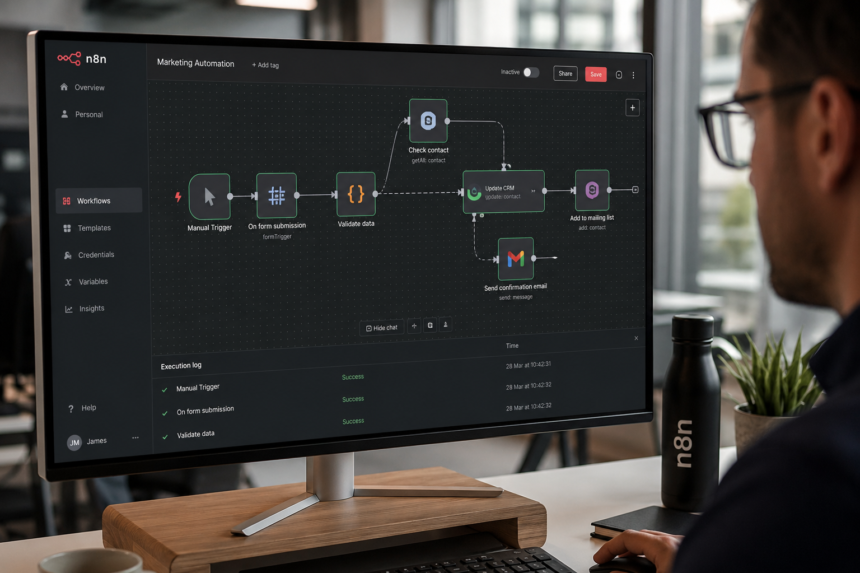
The platform uses a node-based workflow builder that enables users to create simple automations as well as highly complex business processes.
Common n8n use cases include:
- AI automation
- Business process automation
- Customer support automation
- Marketing automation
- API integrations
- Internal operations automation
For a complete introduction to the platform, read our guide:
Internal Link:
What Is n8n? Complete Guide to Workflow Automation
Advantages of n8n
- Open-source platform
- Self-hosting support
- Advanced workflow logic
- AI agent capabilities
- Extensive customization
- Better API flexibility
Limitations of n8n
- Slightly steeper learning curve
- Self-hosting requires technical knowledge
- More configuration compared to Make.com
My Experience Using Make.com and n8n
Having worked on automation projects involving lead generation, CRM automation, AI content creation, reporting systems, and business workflows, I’ve spent considerable time working with both platforms.
My experience is that neither platform is universally better.
Instead, each platform excels in different situations.
When launching automation projects quickly, Make.com is often easier to adopt. New users can build useful workflows within hours because the interface is intuitive and well-structured.
However, as automation requirements become more sophisticated, limitations begin to appear.
For example, businesses increasingly want workflows that include:
- AI-generated content
- Custom API integrations
- Multiple decision branches
- Database operations
- Internal tools
- Enterprise systems
This is where n8n becomes extremely powerful.
I have found n8n particularly valuable when building:
- AI-powered content systems
- Lead qualification workflows
- Enterprise integrations
- Multi-agent automation systems
- Custom reporting solutions
For agencies, the ability to customize workflows extensively makes n8n highly attractive.
For enterprises, self-hosting capabilities provide greater control over security and compliance.
If I needed to deploy a simple marketing workflow quickly, I would likely choose Make.com.
If I were building automation infrastructure that needed to scale for years, I would choose n8n.
User Interface Comparison
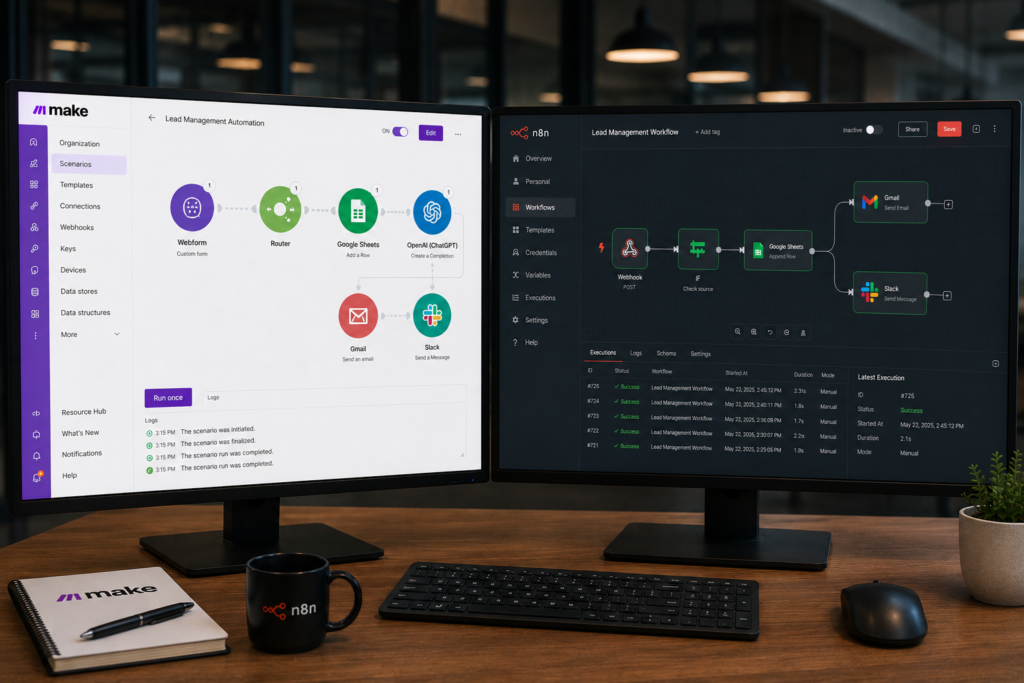
Make.com Interface
One of Make.com’s biggest strengths is its visual workflow builder.
Users can clearly see:
- Triggers
- Actions
- Data routes
- Conditions
This makes the platform beginner-friendly.
Advantages:
- Easy navigation
- Attractive design
- Simple debugging
- Fast onboarding
Disadvantages:
- Large workflows can become visually cluttered
- Complex scenarios may become difficult to manage
n8n Interface
n8n’s interface is designed with flexibility in mind.
Advantages:
- Better handling of complex workflows
- More customization options
- Strong debugging capabilities
- Developer-friendly
Disadvantages:
- Slightly steeper learning curve
- More advanced features require exploration
Winner
For beginners: Make.com
For advanced users: n8n
Integration Comparison
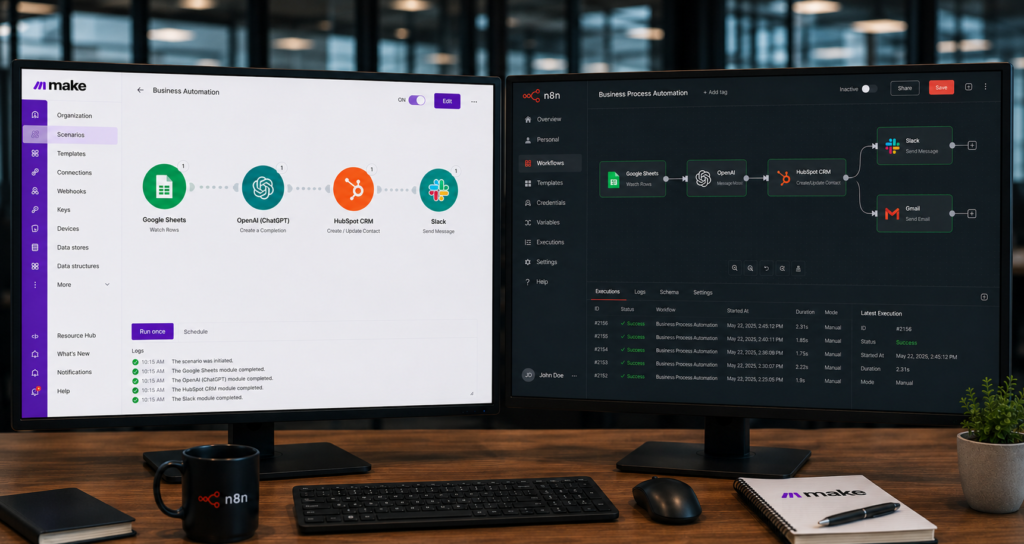
Integrations are critical because automation platforms must connect with business applications.
Make.com
Make.com supports thousands of applications including:
- Google Workspace
- Slack
- Shopify
- HubSpot
- Salesforce
- Airtable
Help Center:
https://help.make.com
n8n
n8n supports hundreds of integrations and offers greater flexibility through APIs.
Integrations Directory:
https://n8n.io/integrations/
One major advantage is that if an application isn’t supported natively, users can often connect it through APIs.
Recent updates have continued expanding n8n’s ecosystem.
Winner
For number of integrations: Make.com
For flexibility: n8n
AI Automation Comparison
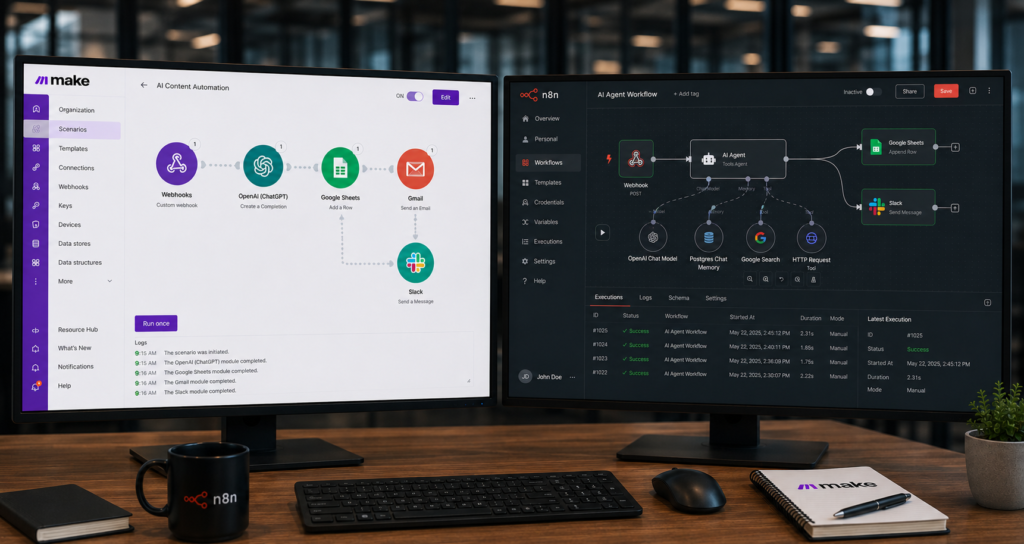
Artificial intelligence is transforming workflow automation.
Businesses increasingly want workflows capable of:
- Writing content
- Analyzing data
- Qualifying leads
- Answering customer questions
- Conducting research
Make.com AI Capabilities
Make.com supports:
Users can build AI-powered workflows relatively easily.
n8n AI Capabilities
This is where n8n truly shines.
n8n has invested heavily in AI-focused features.
n8n allows users to create:
- AI agents
- Multi-agent systems
- AI research workflows
- AI customer support systems
- AI content generation pipelines
Winner
For AI automation and AI agents: n8n
Pricing Comparison
Pricing is often one of the biggest deciding factors.
Make.com Pricing
Make.com uses an operations-based pricing model.
Advantages:
- Affordable for small projects
- Easy to start
Disadvantages:
- Costs can increase rapidly as workflow volume grows
n8n Pricing
n8n offers:
- Cloud plans
- Self-hosted deployment
The self-hosted option can significantly reduce long-term costs for businesses running large numbers of workflows.
Winner
For small projects: Make.com
For large-scale automation: n8n
Self-Hosting and Security
This is one of the biggest differences between the platforms.
Make.com
Cloud-based only.
Advantages:
- No infrastructure management
- Easy deployment
Disadvantages:
- Less control
- No self-hosting
n8n
Supports:
- VPS deployment
- Docker deployment
- Private cloud deployment
Docker Documentation:
https://docs.docker.com
Recent enterprise-focused improvements demonstrate n8n’s commitment to stability.
Winner
n8n
Real-World Workflow Examples
Lead Generation Automation
Make.com:
- Form submission
- CRM update
- Email sequence
n8n:
- Form submission
- AI lead scoring
- CRM update
- Slack notification
- Database logging
AI Content Creation
Make.com:
- Keyword input
- OpenAI article generation
n8n:
- Keyword input
- AI research
- Content generation
- SEO analysis
- WordPress publishing
Customer Support Automation
Make.com:
- Ticket creation
- Team notification
n8n:
- Ticket creation
- AI categorization
- Priority assignment
- Response generation
- Escalation workflows
Winner by Use Case
| Use Case | Winner |
|---|---|
| Beginners | Make.com |
| Marketing Automation | Make.com |
| Fast Deployment | Make.com |
| AI Agents | n8n |
| Enterprise Automation | n8n |
| Self Hosting | n8n |
| Complex Workflows | n8n |
| Custom APIs | n8n |
| Agencies | n8n |
| Scalability | n8n |
Final Recommendation
After using and evaluating both platforms, my recommendation is straightforward.
Choose Make.com if your priority is simplicity.
It is one of the easiest automation platforms to learn and deploy.
Choose n8n if your priority is flexibility, AI automation, scalability, and long-term growth.
For agencies, AI automation consultants, and businesses investing heavily in automation, n8n is often the better strategic choice because it provides greater control and significantly more customization options.
For beginners, Make.com remains one of the best entry points into workflow automation.
The reality is that both platforms are excellent.
The right choice depends on whether you value simplicity or flexibility.
If I were building automation infrastructure today with future AI requirements in mind, I would choose n8n.
Frequently Asked Questions
Is Make.com better than n8n?
Neither platform is universally better. Make.com is easier for beginners, while n8n offers greater flexibility.
Is n8n cheaper than Make.com?
For high-volume workflows, self-hosted n8n deployments are often more cost-effective.
Which platform is better for AI agents?
n8n currently provides stronger support for advanced AI agent workflows.
Which platform is easier to learn?
Make.com has a lower learning curve.
Which platform is better for agencies?
Many agencies prefer n8n because of its customization capabilities and scalability.
Can I migrate from Make.com to n8n?
Yes. Many workflows can be recreated in n8n, although migration requires planning and testing.