




NotebookLM introduced a new productivity update that will allow its users to export their Notes and Reports directly from the Studio Panel. This aims to make NotebookLM more convenient to use.
What’s New
Users can now:
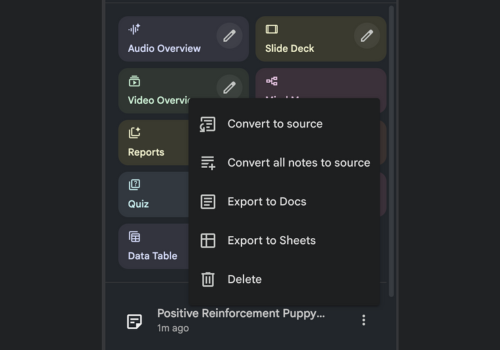
- Export Study Guides, Briefing Docs, and saved Notes into Google Docs
- Export content with tables to Google Sheets
- Export content with tables to Google Sheets
Easily access and modify the materials provided by the students
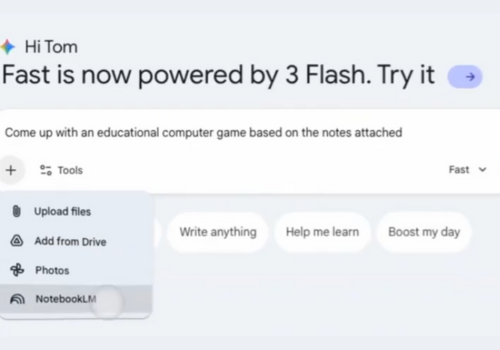
The export option is also accessible through the three-dot menu next to each saved item within the Studio Panel, thus providing an easy process.
This Update is Important to Me Because:
This added functionality eliminates the barrier between analysis and delivery. Researchers can now transfer structured findings from NotebookLM to common Google Workspace applications without the use of copy and paste.
Built for Flexible Workflows
Whether it is a matter of creating reports, improving study resources, or working with other users, this new exporting tool is going to make NotebookLM a more versatile tool within everyday tasks, particularly for users finishing projects before the holiday season.
“This update further enhances the role that NotebookLM plays as a bridge between research in deep learning and actual output.”