

Introduction
Managing Amazon affiliate content involves more than sharing product links. You need to collect product information, write engaging captions, create attractive product visuals, and publish content consistently.
An AI-powered n8n workflow can help connect these tasks into one process.
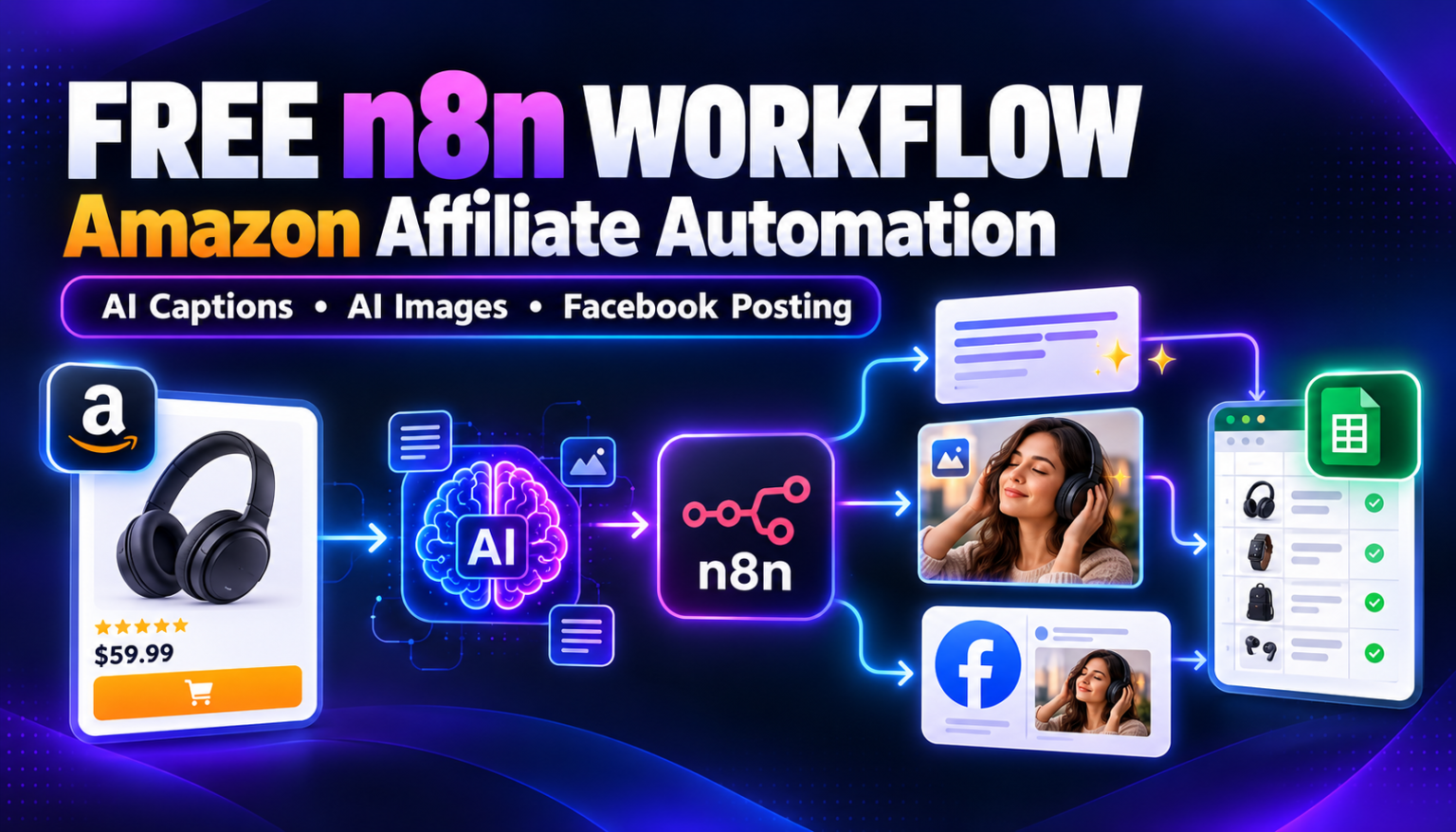
In this tutorial, we’ll explore a free Amazon Affiliate Marketing Automation workflow that combines Google Sheets, Amazon product data from RapidAPI, AI-generated captions, AI image generation, and the Facebook Graph API.
The workflow is designed to turn a product link into a promotional Facebook post with an image and an affiliate link.
You can download the workflow JSON, import it into your n8n instance, configure your own credentials, and customize it for your affiliate marketing process.
What Does This Amazon Affiliate Automation Workflow Do?
The workflow connects several services to help automate product promotion.
Here’s what it is designed to do:
- Read product information and product links from Google Sheets.
- Extract the Amazon ASIN from a product URL.
- Retrieve product details using the Amazon Product Details API on RapidAPI.
- Generate a short Facebook caption containing the affiliate link.
- Create an AI image prompt based on the product information.
- Generate an image using an AI image-generation node.
- Upload the generated image to Facebook with the caption.
- Update the Google Sheets record to indicate that the Facebook upload is complete.
This can help affiliate marketers reduce repetitive content preparation and keep track of processed products.

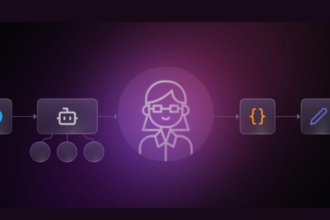
Important: The supplied workflow uses a manual trigger and a Google Sheets lookup. You must configure and test the spreadsheet filtering, credentials, and node mappings in your own environment before relying on it for repeated processing.
Tools and Requirements
Before importing the workflow, prepare the following services.
| Tool | Purpose |
|---|---|
| n8n | Connects and runs the automation |
| Google Sheets | Stores product links and upload status |
| RapidAPI | Provides access to the configured Amazon product-data API |
| OpenAI API | Generates Facebook caption drafts and product image content |
| Google Gemini API | The workflow includes an image-upload request to a Gemini endpoint |
| Facebook Graph API | Uploads the generated image and caption to Facebook |
Some services may require paid plans or API credits. You will also need appropriate Facebook permissions and a supported destination for publishing.
How the Workflow Works
Step 1: Start the automation
The workflow begins with the manual trigger named When clicking ‘Execute workflow’.
Click Execute workflow in n8n to start processing.
The workflow then reads data from a connected Google Sheets document. This lets you test the automation with a product before adapting it for a larger campaign.
Step 2: Read product information from Google Sheets
The Get row(s) in sheet node retrieves product records from Google Sheets.
The workflow references fields including:
Product LinkProduct DetailsUpload Status
The spreadsheet should be configured to match the fields expected by the workflow.
You can maintain a product list in Google Sheets and use it as the starting point for your affiliate content process.
Step 3: Extract the Amazon ASIN
The asin number AI agent uses a prompt to extract the ASIN from the Amazon product URL.
An ASIN, or Amazon Standard Identification Number, is a product identifier used by Amazon.
The extracted identifier is passed to the Amazon Product Details HTTP Request node, which calls the configured RapidAPI endpoint to retrieve product information.
The returned information includes fields such as the product title, product photo URL, product details, and product URL, depending on the API response.
Step 4: Retrieve Amazon product details
The Amazon Product Details node requests information for the extracted ASIN.
The workflow is configured for the US Amazon marketplace.
The returned product information supplies details used by later steps, including the product title, description, image URL, and product URL.
Before using this in production: Check the API provider’s current pricing, response structure, usage limits, and permitted use of product data and images.
Step 5: Generate a Facebook affiliate caption
The FB caption AI agent uses the product title and a product description to generate a short Facebook caption.
Its instructions ask the AI to:
- Start with an engaging hook.
- Focus on a useful product feature or benefit.
- Use a casual tone.
- Include a call to action.
- End with the configured affiliate link.
The workflow constructs the affiliate URL using the product URL and a tracking tag.
You should replace the example tracking tag with your own approved Amazon Associates tracking ID before using the workflow.
Review every generated caption for accuracy and ensure it doesn’t contain unsupported product claims.
Step 6: Create an AI product image
The Image Prompt Generate agent prepares a prompt for an AI image generator based on the product title and product details.
The prompt requests a realistic product scene with suitable lighting, composition, and a human model.
The Generate an image node then sends that prompt to the configured OpenAI image-generation service.
The workflow also contains nodes named Product Image and Image Upload To Server, which retrieve the product image and send it to a Gemini file-upload endpoint.
However, the generated-image node is configured to use the generated prompt as its input; the supplied JSON does not establish that the original Amazon product photo is passed into that node as an image reference.
As a result, verify that the generated image accurately represents the actual product before publishing it. Do not assume that an AI-generated promotional image is an exact depiction of the item being sold.
Step 7: Upload the content to Facebook
After generating the image, the workflow converts the returned image data into a binary file using the Convert to File node.
The Wait node introduces a delay before the Facebook Graph API node runs.
The Facebook node is configured to upload a photo with the generated caption as its message.
This step requires valid Facebook credentials and the necessary permissions for the selected publishing destination. Test the upload with your own account and confirm that the image and caption appear as expected.
Step 8: Update Google Sheets
After the Facebook upload step, the workflow updates the Google Sheets record.
The Google Sheets node sets the Facebook Upload field to Done ✅ for the matching product link.
This gives you a simple way to track which product records have been processed.
Before using the workflow at scale, verify that the spreadsheet matching and status-update logic work correctly and that failed uploads don’t incorrectly get marked as completed.
How to Import the Free Workflow into n8n
Follow these steps to set up the workflow.
- Download the workflow JSON file from the section below.
- Open your n8n instance.
- Import the JSON file into your workflows area.
- Review all nodes and connections.
- Connect your Google Sheets credentials.
- Configure your RapidAPI credentials for the product-details request.
- Connect the required OpenAI and Google Gemini credentials for the relevant nodes.
- Connect your Facebook Graph API credentials and verify the required permissions.
- Update the spreadsheet identifiers, field mappings, affiliate tracking ID, and API configuration.
- Run a test using a product you are authorized to promote.
- Check the generated image, caption, Facebook post, and Google Sheets status before using the workflow regularly.
Security reminder: Never publish a workflow JSON file containing API keys, bearer tokens, passwords, or private credentials. Use your own credentials and n8n’s credential management wherever possible.
Important Things to Check Before Running It
The supplied JSON is a workflow template, not a guarantee that the entire process will work without configuration.
- API keys: Add your own valid credentials and remove any exposed secrets from the downloaded JSON.
- Product-data API: Confirm the endpoint and returned fields match the workflow’s expressions.
- Amazon affiliate links: Use your own approved affiliate tracking ID.
- Product images: Check that the generated image accurately represents the product being promoted.
- Facebook permissions: Verify that your account and destination support the configured photo-upload operation.
- Google Sheets: Check the column names, filters, and matching logic.
- Workflow trigger: The current configuration begins with a manual trigger. Scheduling or automatic processing of new spreadsheet rows requires additional setup.
- Error handling: Test API failures, invalid product links, image-generation errors, and failed Facebook uploads before scaling up.
Amazon Affiliate Disclosure and Compliance
If you publish affiliate content, clearly disclose your financial relationship to readers.
For example:
As an Amazon Associate I earn from qualifying purchases.
Use the disclosure required by the applicable Amazon Associates program and local advertising rules. Place disclosures where readers can readily notice them, including near affiliate promotions when appropriate.
Also make sure your use of product images, prices, product descriptions, and generated promotional creatives complies with the relevant platform terms and Amazon Associates policies.
Do not present AI-generated product scenes as genuine product photographs if they could mislead buyers about what they will receive.
Who Can Use This Workflow?
This workflow may be useful for:
- Amazon affiliate marketers: Prepare product promotions with less repetitive manual work.
- Content creators: Generate product-focused captions and promotional visuals.
- Social media managers: Organize product links and content in Google Sheets.
- Marketing agencies: Explore AI-assisted affiliate content workflows.
- Automation learners: Practice connecting APIs, AI agents, image generation, and Facebook publishing in n8n.
The workflow is a starting point that you can adapt to your own product categories, content guidelines, and publishing requirements.
Download the Free Amazon Affiliate Marketing Workflow
Want to try this automation yourself?
Download the workflow JSON and import it into your n8n instance. You can then configure your own credentials, affiliate tracking ID, spreadsheet, and Facebook destination.
Download: ⬇ Download Free n8n Workflow
Read the tutorial and learn more: All Market Updates
Remember that the workflow JSON is free to download, but external APIs, hosting, and other services may incur costs.
Get More Free AI Automation Workflows
Want more practical n8n workflows, AI automation tutorials, and ready-to-use templates?
Join our channels to receive updates when new workflows and tutorials are published.
- Telegram: Join for new workflow releases, tutorials, and automation tips.
- WhatsApp Channel: Follow for quick updates and links to new workflow downloads.
Follow All Market Updates for more automation tutorials, AI tools, and practical workflow ideas.
Frequently Asked Questions
Is this Amazon affiliate workflow free?
The workflow JSON can be shared for free. However, n8n hosting, API access, image generation, and other external services may involve charges.
Does it publish directly to Facebook?
The supplied workflow includes a Facebook Graph API photo-upload node configured to publish the generated image with its caption. Successful publishing depends on your credentials, permissions, destination, and configuration.
Does it automatically run whenever I add a product?
Not in the supplied configuration. It begins with a manual trigger. Additional trigger and filtering configuration is needed for automatic processing of new spreadsheet entries.
Can I use this workflow with my own Amazon Associates account?
You can adapt it for your account by configuring your own affiliate tracking ID and ensuring your implementation follows the relevant program requirements.
Will the AI image always show the exact Amazon product?
No. The generated image may not accurately reproduce the real item. Review the output carefully, and use an appropriate product image workflow if exact product appearance is essential.
Can beginners use this workflow?
Beginners can use it as a learning template, but they should understand basic n8n concepts, API credentials, Google Sheets, and Facebook permissions. Some troubleshooting and configuration may be required.
Disclaimer: This workflow is provided for educational purposes. Review all API requirements, platform permissions, affiliate policies, credentials, and generated content before using it in production.